Convert to Gutenberg
Gutenberg output is native WordPress core blocks — editable in the block editor, with no page-builder lock-in.
Steps
- Select your frame in Figma and open ready→made.
- Choose Gutenberg and convert.
- Copy the block markup.
- In WordPress, open the block editor, switch to the Code editor (⋮ menu → Code editor), and paste. Switch back to the visual editor — every block is native and editable.
What the output looks like
Real engine output — core group / heading / image / paragraph blocks with layout and styles carried through as block attributes:
<!-- wp:group {"layout":{"type":"flex","orientation":"vertical"},
  "style":{"spacing":{"blockGap":"20px"},"border":{"radius":"10px"}}} -->
<div class="wp-block-group" style="gap:20px;border-radius:10px;
  display:flex;flex-direction:column">

  <!-- wp:image {"sizeSlug":"full"} -->
  <figure class="wp-block-image size-full">
    <img src="/wp-content/uploads/figma/card.png" alt="Rectangle 4326"/>
  </figure>
  <!-- /wp:image -->

  <!-- wp:heading {"level":4,"style":{"color":{"text":"#1d1d1d"}}} -->
  <h4 class="wp-block-heading has-text-color" style="color:#1d1d1d">New construction technology</h4>
  <!-- /wp:heading -->

  <!-- wp:paragraph {"style":{"color":{"text":"#737373"}}} -->
  <p class="has-text-color" style="color:#737373">Elinor her his secure far twenty eat object…</p>
  <!-- /wp:paragraph -->

</div>
<!-- /wp:group -->
No custom plugin required — these are stock core blocks.
In the block editor
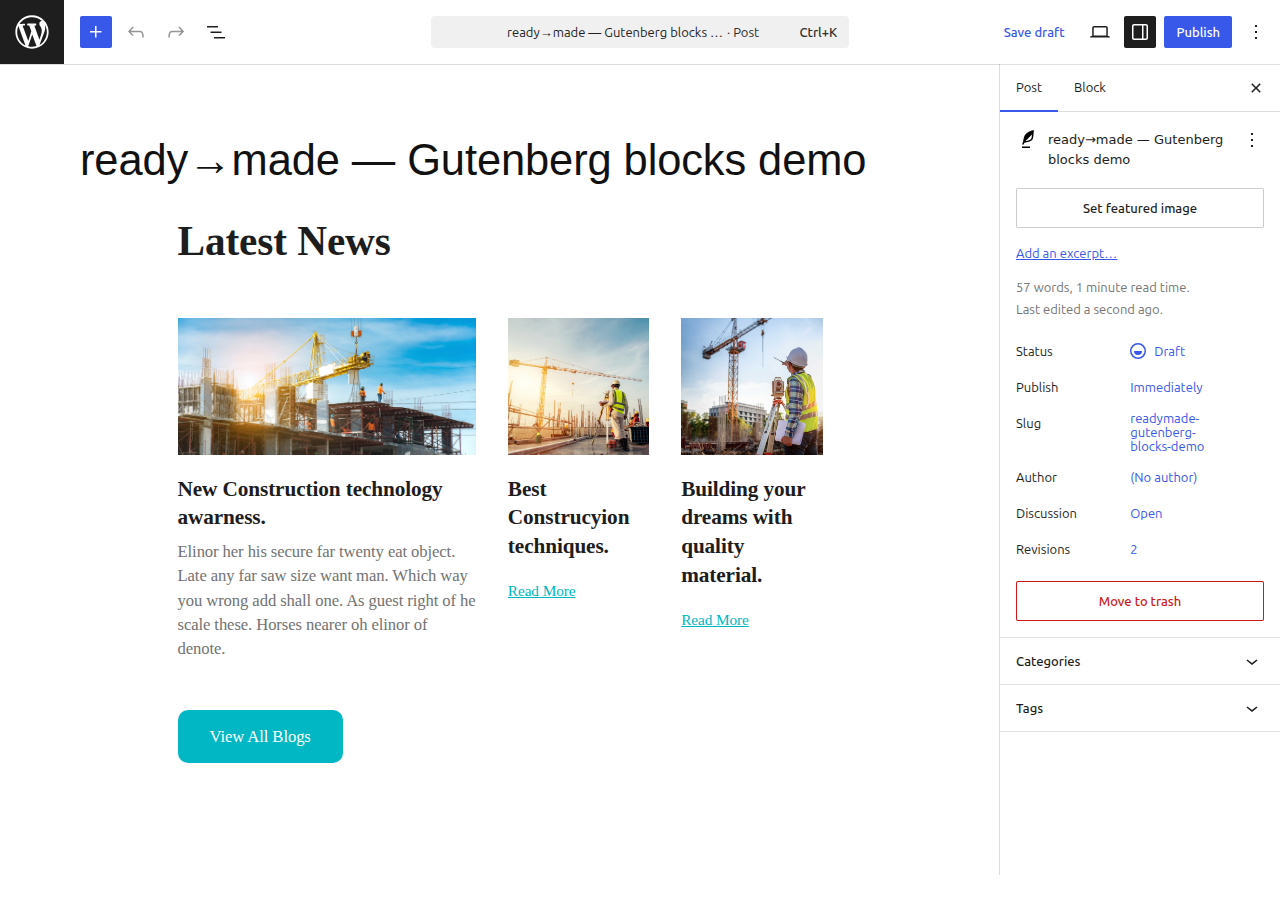
Pasted into the WordPress block editor, it's all native, editable blocks — Group, Row, Stack, Image, Heading, Paragraph — and it validates clean (no "unexpected content" warnings):
See it beside the other targets on the Card grid example.