Migrate Elementor to Bricks Without Paying an Agency $7,000+
 Philipp Gappmaier
July 13, 2026
Philipp Gappmaier
July 13, 2026 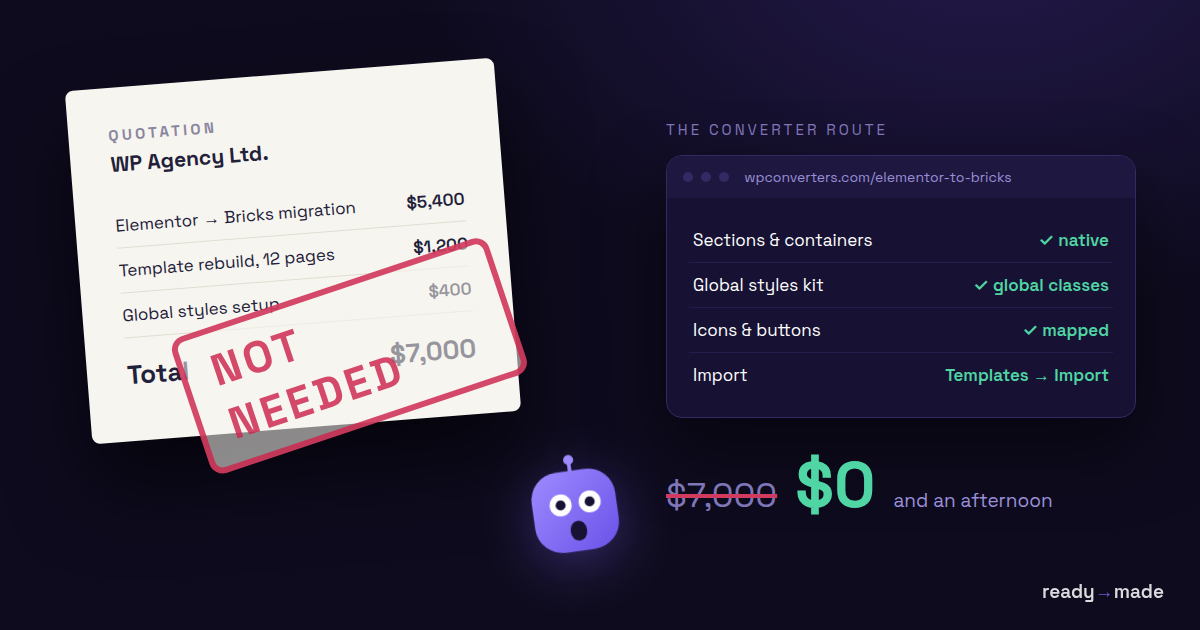
If you've priced an elementor to bricks migration lately, you've seen the number that scares people off: agencies quote low five figures, and the most-cited breakdown online runs from about $7,000 to $50,000+. That range is real for genuinely complex sites. It's also wildly wrong for a lot of the sites that see it — a 10-page brochure with no forms, no loops, and no WooCommerce doesn't need a $2,000 audit before anyone touches a widget.
This guide splits the difference. Elementor and Bricks store their data in completely incompatible formats, so no tool moves a site across untouched. But a converter automates the deterministic 70–80% — the structure, the spacing, the heading hierarchy — and hands you a native Bricks template. Then you finish the last 20% by hand, on purpose, knowing exactly which parts those are.
Below: why builders switch, the four ways to migrate and what each actually costs, a step-by-step run through the free converter, and a list of what survives and what doesn't.
Try the free Elementor → Bricks converter → wpconverters.com/elementor-to-bricks
Why people leave Elementor for Bricks
The driving story across this niche is the same one every time: Elementor bloat versus Bricks performance. Elementor's nested-wrapper output — the "divception" problem — piles on DOM depth and CSS, and it shows up in Core Web Vitals. Bricks emits leaner markup, and post-migration reports consistently point to faster load times (one agency case study cited a 46% improvement — a single unverified data point, but directionally in line with the pattern).
There's a second reason, and it cuts the other way. Bricks is structure-aware. You think in sections and containers, you're expected to understand CSS, and you don't just drag any widget anywhere. For a developer or a CSS-comfortable team, that's the feature — clean, predictable, maintainable. For a client trained on Elementor's drag-and-drop-anywhere freedom, it's friction. Crocoblock and Cloudways both note the steeper learning curve — and converting the files doesn't convert the person editing them. If a non-technical owner maintains the site, budget handover time or keep ownership of edits. That learning-curve cost is the migration cost everyone forgets to price.
One more thing to set expectations: there is no official one-click migrator, and that's deliberate. The one formal feature request for it on the Bricks forum drew more opposition than support — developers called it "impossible to handwrite... even with AI, so many parameters." Read that carefully. "Impossible" means impossible to do perfectly and unattended across every widget, addon, and dynamic-data combination. It does not mean automation is useless. It means the realistic question was never "which tool converts my whole site" — it's "how much can a tool do before manual work starts."
The four ways to migrate Elementor to Bricks (and what each costs)
You have four real options. They trade money for time and fidelity in different ways.
| Approach | Cost | Time | Fidelity | Dynamic content |
|---|---|---|---|---|
| Full-service agency | ~$7K small / $30K–$55K+ complex; fixed-quote shops $5K–$15K for 50 pages | 2–8 weeks | Highest — rebuilt by hand | Handled (priced in per form/loop/CPT) |
| Manual rebuild (DIY) | Your time — 4–7 hrs/brochure page, 8–14 hrs/landing page, 30–60 hrs for WooCommerce | Days to weeks | Highest if you're patient | You rebuild it all yourself |
| Generic converter plugins (ClonewebX and similar) | from ~$80 on Fiverr, up to a tool subscription | Hours | Visual-only; scrapes rendered HTML/CSS | Not mapped — arrives as static/placeholder |
| The free converter | Free — unlimited, no account | Minutes per template | Native Bricks elements you can restyle | Flagged for manual rebuild, not faked |
A few notes on that table.
The agency range comes almost entirely from one source (WitsCode) that does zero hands-on tool testing. It's a cost model — blended senior-dev-plus-designer rates of $85–$140/hour, times per-page rebuild hours, plus a $1,500–$3,000 paid audit. That's how you get $7K–$55K. Meanwhile MigrateLab quotes fixed 50-page migrations at $5,000–$15,000, and Fiverr gigs advertise conversion from ~$80. That's a 600x spread for nominally "the same" service. The sub-$100 floor is real, but it buys a shallow static page-copy, not a functional migration — no forms, no dynamic data, no interactivity rebuilt. The high end is equally real for WooCommerce-plus-multilingual-plus-loop-template sites. The trap is treating either extreme as your default.
The generic-converter row needs its own asterisk, because the tools in it aren't all the same architecture. ClonewebX reads your rendered front-end — it's builder-agnostic (also hits Webflow, Divi 5, Breakdance, Gutenberg), supports Elementor 3.10+ with Flex Container, claims to auto-fix divception and save ~90% of manual effort. Its documented limits: it does not import JavaScript, and it can't reliably bring over e-commerce, hover effects, animations, sliders, or carousels; some images and icons arrive broken as placeholders. Community skeptics on the Bricks forum note that the demo videos show manual section-by-section work despite "single-click" marketing — worth remembering before you trust any one-click claim. Move to Bricks is a dedicated plugin plus done-for-you service, but appears pre-launch (prominent waitlist, no public pricing, no stated limits — unproven). WDesignKit ships a one-click widget converter (Elementor↔Bricks/Gutenberg), but it works at the component level, not whole-page migration with dynamic data. Respira Press takes the data-mapping approach like we do — it reads Elementor's native JSON and creates draft Bricks duplicates for review, explicitly flagging addon widgets, ACF data, and loop templates for manual handling.
That architectural split is the single biggest fidelity divide between converters. HTML/CSS-scrape tools give you a visually-similar page made of generic divs you can't cleanly edit afterward. Data-mapping tools give you real Bricks elements. The difference only surfaces after import, when you try to maintain the site — exactly when it's most expensive to discover.
One line item none of these paths avoid: Bricks itself isn't free. You'll need a Bricks license (a modest annual or one-time cost) on top of whichever migration route you pick — worth factoring in when you weigh the free-converter path against a paid service.
See what a native-template conversion actually produces → wpconverters.com/elementor-to-bricks
Step-by-step with the free converter
The free converter reads Elementor's native JSON and emits a native Bricks template. It runs entirely in your browser — nothing is uploaded to a server. Here's the full run.
1. Load your source. Open the tool and paste your Elementor JSON into the left panel, or click Try an example to load a sample container with heading, text-editor, and button widgets — including tablet padding and a background color.
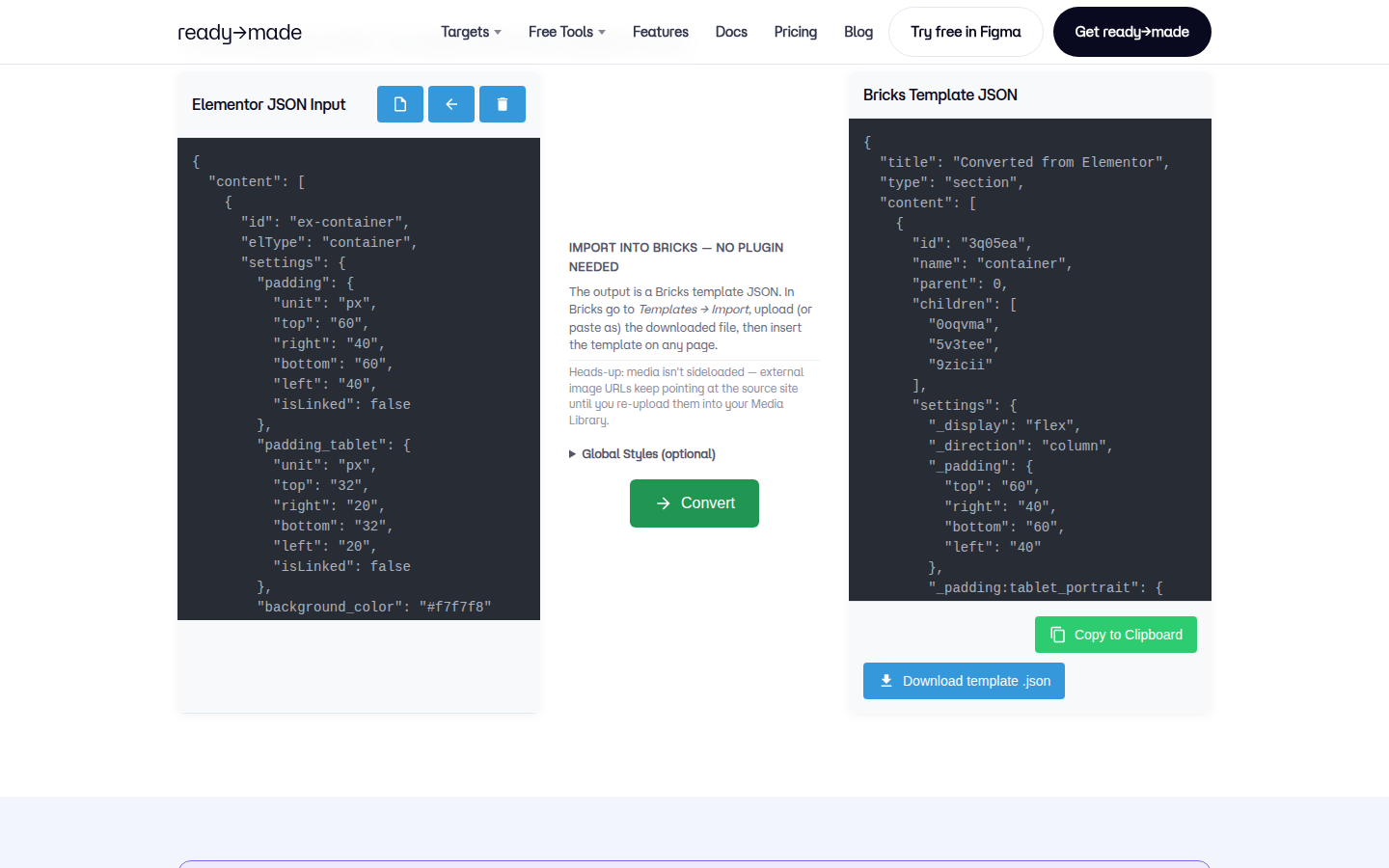
2. Convert. Press Convert. The right panel fills with a Bricks Template JSON — and it's the real thing, not a wrapped HTML blob. You get a flat content[] array with id/parent/children linkage and Bricks' underscore-prefixed keys: _display: flex, _direction: column, _padding, _typography, _background. Each Elementor widget maps to its Bricks-native element — heading becomes heading, text-editor becomes text-basic, button becomes button.
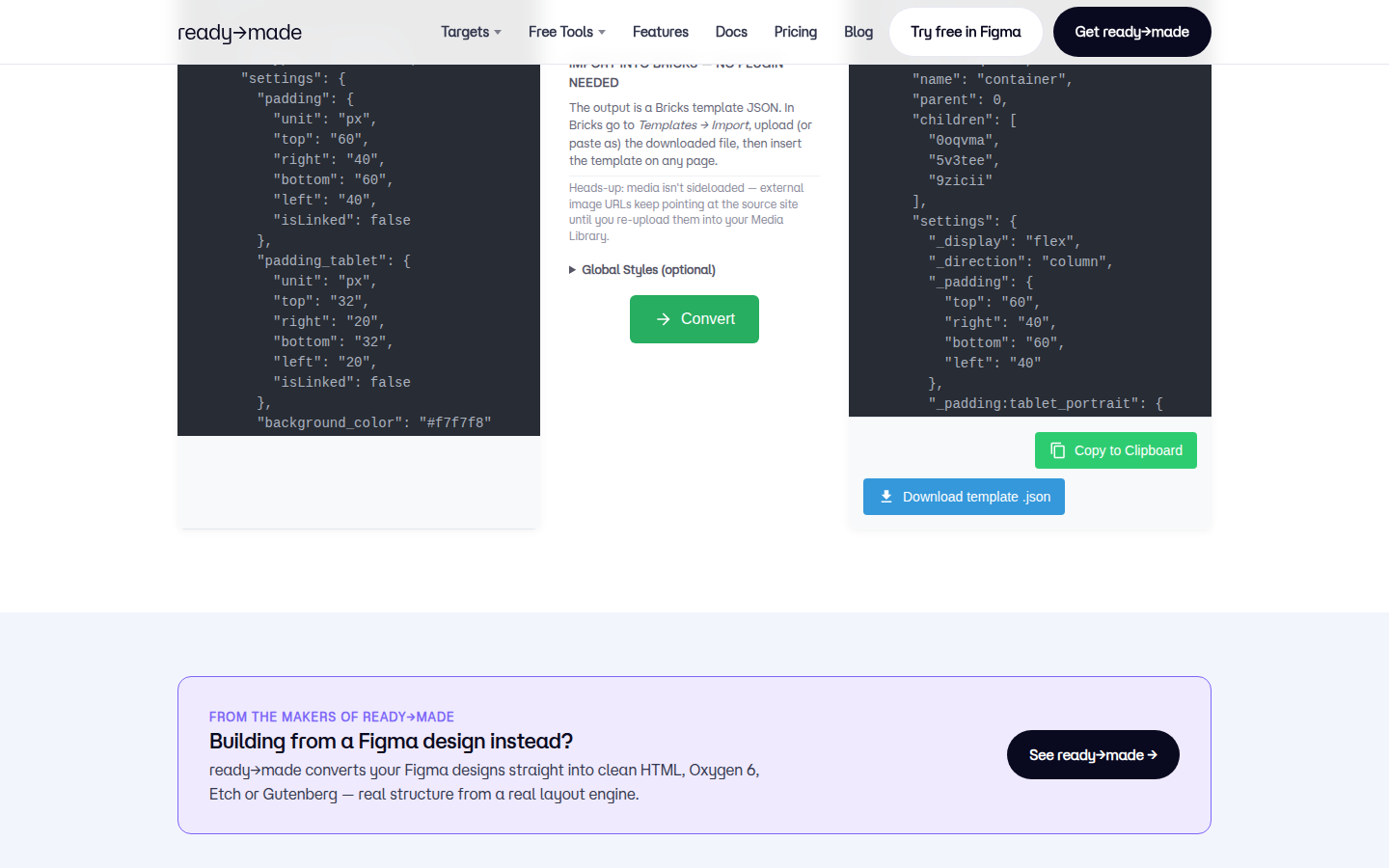
A couple of things worth pointing out in that output. Elementor's tablet padding maps correctly to Bricks' _padding:tablet_portrait breakpoint key — a real responsive translation, not just the base value copied over. Heading tags survive too: Elementor's header_size of h2 comes through as tag: "h2", so your hierarchy stays intact. One quirk to know: the converter emits unit-less numbers (32, 60), which Bricks reads as px. Harmless if your originals were px. If you used rem, em, or % anywhere, spot-check computed styles at multiple viewports — a blind px interpretation will subtly break scaling.
3. Bring your global styles (optional but do it). There's an optional Global Styles / Website Kit input. Supply your Elementor global styles and they come across as Bricks global classes. Skip it and global_classes comes back as an empty array — meaning every style is inlined per-element instead of shared. Your site will look right and be quietly unmaintainable: change a brand color later and you're editing dozens of elements by hand instead of one class. Nothing in the output warns you this happened, so treat the kit input as part of the job, not a nice-to-have.
4. Copy or download, then import into Bricks. Use Copy to Clipboard or Download template .json — no companion plugin needed. In WordPress, go to Bricks → Templates → Import and drop the file in. Apply the template to your page.
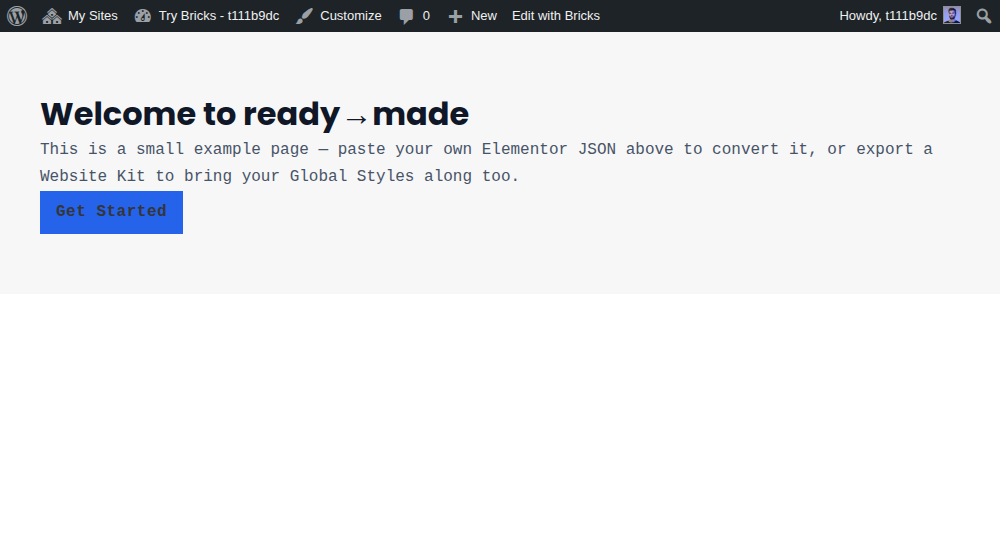
We tested this end to end rather than taking it on faith. We ran this exact conversion, imported the resulting .json into a live Bricks install via Templates → Import, and viewed the rendered page: the container's padding and background, the heading's font, size, weight and colour, and the button's background all came through intact — the computed styles matched the source, with no manual patching. (A useful detail we confirmed in the process: the converter emits unit-less spacing like 60, and Bricks correctly reads that as 60px — so nothing silently drops.) One caveat worth keeping: this was a clean, self-contained section. Complex real-world pages — nested legacy Section/Column structures, third-party addon widgets, shortcode-embedded templates — are a harder case, so the rule still stands: run your own round-trip on a staging Bricks install before trusting any converter for a production migration. But the core question — does the converted output actually render in Bricks? — is a verified yes.
What survives and what doesn't
Here's the part the agency landing pages leave out. Everything a converter can't touch clusters into the same predictable list every time. You can inventory these seven things on your site before you start and price the manual work accurately — instead of discovering it mid-project.
What doesn't convert — the manual rebuild list:
- Elementor Forms. Forms don't migrate. The form, its webhooks, CRM connections, and reCAPTCHA all get rebuilt in Bricks or a forms plugin. Budget 1–3 hours per form. Forms fool people because they look like "just content" — they aren't.
- Popups and modals. Stored separately from page content, so they're never in any page export. Recreate manually.
- Dynamic data / dynamic tags. ACF field displays and custom-field tags use Bricks' own dynamic data system. Converters flag them; none can map them for you.
- Loop / query templates. Each Elementor loop gets rebuilt in Bricks' Query Loop syntax.
- Theme Builder templates. Header, footer, archive, single — different storage mechanism, doesn't carry over.
- WooCommerce widgets. Product grid, cart, checkout — configured from scratch with Bricks' own WooCommerce elements. This is the 30–60 hour bucket.
- Third-party addon widgets. Essential Addons, JetElements/Crocoblock, PowerPack, Premium Addons — no Bricks equivalent, so those sections are hand-rebuilt. Audit your whole plugin stack for Bricks compatibility before you commit.
The JavaScript cliff. This one is specifically why "the demo looked perfect but my site broke" happens. Front-end-scrape converters explicitly don't import JavaScript, so sliders, carousels, hover effects, and slideshows arrive as dead placeholders even when the static layout looks flawless. If you sign off on screenshots, you'll approve a migration that's broken in motion. Data-mapping tools sidestep this for widgets they support by regenerating the Bricks-native equivalent — but no tool maps custom or third-party JS behavior 1:1. Interactive components need re-testing regardless.
What does survive:
- SEO metadata. Yoast, RankMath, and SEOPress store data independently of the builder — it stays put. Slugs and internal links survive too.
- Responsive spacing and heading hierarchy. As shown above, breakpoint padding and heading tags translate correctly.
- Core Web Vitals. Usually improve post-migration — how much varies by site and isn't guaranteed, but it's the main reason people make the move.
A calibration note: we verified the responsive-and-structure behavior on a small hand-crafted example (one container, three widgets). Complex nested legacy Section/Column structures and shortcode-embedded templates — like a testimonial slider dropped in via shortcode — are a much harder case we did not push through the converter. Basic Elementor sections with no addons convert nearly fully; the seven-item list is what breaks on complex real-world sites, not a guarantee every item exists on yours.
Media and links after migration
The one gotcha most guides bury: media is not sideloaded. Converted templates keep external image URLs pointing at the source site until you manually re-upload each asset into the new Media Library. This is standard behavior for any browser-based converter — it can't touch your server's Media Library — but it's a live production trap. Your migrated site can look complete in testing while every image is silently hot-linked to the old server. The day you decommission that server, every image 404s.
So make media re-upload an explicit checklist step, not an assumption:
- Re-upload every externally-referenced image into the new site's Media Library and repoint the elements.
- Confirm nothing still resolves to the old domain (grep the rendered page source for the old host).
- Links and slugs generally survive, but re-test internal links after import anyway — especially anything that pointed at a Theme Builder template you had to rebuild.
- Keep the old Elementor site archived and reachable until every asset is confirmed migrated. "The template imported fine" is never the same as "the migration is done."
FAQ
Does Elementor convert to Bricks automatically?
Partially. There's no official one-click tool — the Bricks team rejected building one on purpose. A converter automates the structural 70–80% (layout, spacing, headings, containers) and hands you a native Bricks template. Forms, popups, dynamic data, loops, and addon widgets are manual every time.
Is there a true one-click Elementor to Bricks migration?
No. Any tool marketing "one-click" is working around a problem Bricks' own developers judged impossible to solve at full fidelity. Treat one-click demos with the same skepticism the Bricks community does — several show manual section-by-section work behind the marketing.
What breaks when migrating Elementor to Bricks?
Elementor Forms (rebuild, 1–3 hrs each), popups/modals, dynamic/ACF tags, loop templates, Theme Builder header/footer/archive/single, WooCommerce widgets, and third-party addon widgets. JavaScript-driven behavior (sliders, carousels, hover effects) doesn't import via scrape tools. Animation parity is rarely one-to-one.
How much does an Elementor to Bricks migration cost?
It depends entirely on which of the seven un-convertible items your site has. A brochure site with none of them is a cheap, converter-assisted job. A WooCommerce-plus-multilingual-plus-loops site legitimately lands in five figures. The widely-cited $7K–$55K range is a cost model, not a market rate; fixed-quote shops list $5K–$15K for 50 pages, and the converter route is free and unlimited.
Do Elementor Forms migrate to Bricks?
No. The form and everything wired to it — webhooks, CRM connections, reCAPTCHA — is rebuilt in Bricks or a dedicated forms plugin. Budget 1–3 hours per form.
Will my images come across?
The template references them, but the files aren't sideloaded — they stay on the source site until you re-upload them into the new Media Library. Make that an explicit step or your images break when the old site goes offline.
Migrating elementor to bricks isn't a magic-button move and isn't a five-figure mystery either. Convert the deterministic structure for free, inventory the seven things that need hands, and price the rest with your eyes open. Run your own round-trip on a staging Bricks install before you touch production.
Start your conversion free → wpconverters.com/elementor-to-bricks