Bridging Figma to Oxygen Builder
 Philipp Gappmaier
May 6, 2025
Philipp Gappmaier
May 6, 2025 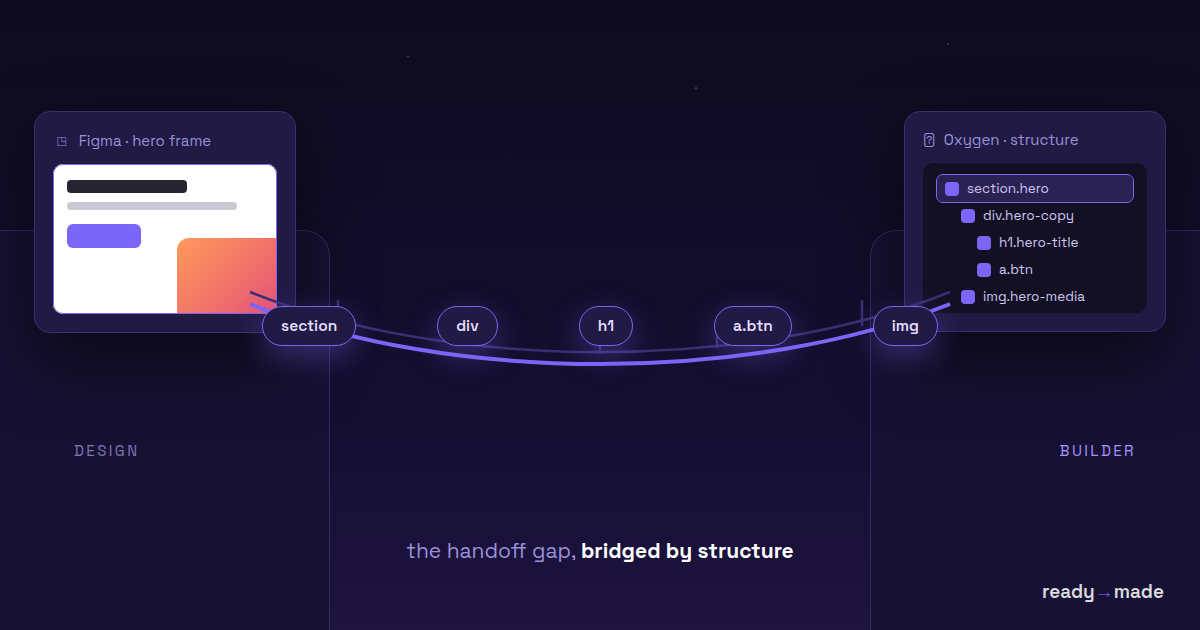
For developers who work with Oxygen Builder and design-heavy projects in Figma, the design-to-build handoff is often where efficiency goes to die. We've all been there — opening a Figma file, rebuilding the layout manually in Oxygen, trying to replicate spacing, fonts, positioning and styles by hand. It's tedious, error-prone, and frankly a waste of our time.
That's where ready→made comes in. It automates the boring parts by translating Figma elements directly into Oxygen components via a clever clipboard-copy mechanism. Let's dig into how it works and what problems it's trying to solve.
Under the hood: how it works
ready→made doesn't rely on complex APIs or over-engineered build pipelines. It's built around a simple but effective workflow:
- Copy an element in Figma
- Paste it into Oxygen Builder
- Done.
Here's what happens under the hood:
- Clipboard payload: when you copy a frame or group in Figma, the plugin captures the metadata — layers, styles, positioning, type settings, and so on.
- Translation layer: that metadata is translated into an internal object model mirroring Oxygen's builder elements — Divs, Headings, Texts, Images.
- CSS mapping: style properties (color, typography, padding, layout) map to inline styles or CSS classes, depending on how you've configured Oxygen. Different CSS frameworks and custom class-naming schemes are supported.
- Smart positioning: a real layout engine interprets the actual geometry and reconstructs proper grids, flex containers and nested divs — rather than blindly duplicating pixel offsets.
- SVG support: vector shapes export as inline SVG inside Oxygen Code Blocks, so they stay sharp and flexible.
Why developers might actually care
A lot of "design-to-code" tools end up being either too abstract (magic black boxes), too specific (locked into one framework), or just too wrong (hello, div soup and inline styles galore). ready→made is different because it:
- Doesn't pretend to know better than you — it gives you clean, readable structure: a starting point, not a final product.
- Works with how you already build in Oxygen — Classic and Oxygen 6 support means it fits existing workflows rather than reinventing them.
- Keeps code editable — modify the output like any other Oxygen element; no proprietary layers or uneditable wrappers.
What it does today
ready→made is available now, and improving on a steady cadence. Working today:
- Copy/paste from Figma into Oxygen (Classic & Oxygen 6), plus clean HTML and Gutenberg blocks
- Conversion of text, images, vectors and containers
- Style mapping
- Layout reconstruction (auto-detecting flex/grid wrappers)
On the roadmap:
- Responsive breakpoints from Figma constraints
- Global style syncing with Oxygen classes
- Component recognition for design systems (auto-mapping repeated symbols like nav bars and footers)
Try it — and shape it
We're looking for developers who like getting their hands dirty and helping shape the tool. If you inspect plugin logs, tweak your CSS frameworks, or want to feed back on the underlying architecture, we'd love to hear from you.
ready→made is available now — try it free in Figma, or grab a licence on the pricing page. We're still refining it heavily toward the official launch, so early feedback genuinely shapes where it goes.
This isn't a magic bullet. It's a wrench for your toolbox — for the kind of dev who likes their tools lightweight, open-ended and battle-tested.