WPBakery to Gutenberg: Escape the Shortcode Lock-In

WPBakery (the plugin many people still call Visual Composer) powers a huge share of older WordPress themes. If you maintain one of these sites in 2026, you know the feeling: the builder works, but every year it feels heavier, the shortcodes leak into the content, and every new hire asks why the site is not on the block editor.
This guide covers the migration to Gutenberg: what actually happens to your content when WPBakery goes away, the paths available, and a step-by-step run through our free converter that turns [vc_row] shortcode soup into native blocks.
Try the free WPBakery → Gutenberg converter → wpconverters.com/wpbakery-to-gutenberg
The shortcode problem
WPBakery stores every layout as shortcodes inside your post content. Deactivate the plugin and WordPress renders the raw brackets: [vc_row][vc_column width="1/2"]... Your content is still there, but it is unreadable and unstyled. This is the single most important fact about the migration. There is no "just switch editors" moment; the shortcodes must be translated into something else.
Gutenberg is the natural destination because it ships with WordPress itself. No license renewals, no builder plugin to keep updated, and block markup is plain HTML with comments. If you export a Gutenberg site's content, it is readable. That portability is the payoff of the migration.
Your migration options
| Approach | Cost | Best for |
|---|---|---|
| Rebuild by hand | Your hours, roughly half a day per page | Small sites, full redesigns |
| Agency migration | Four to five figures for typical sites | Large sites with complex custom modules |
| Free converter + cleanup | $0 plus targeted cleanup | The common case: standard rows, columns, text, images and buttons |
How the free converter works
1. Get your WPBakery shortcodes
Open the page in WP admin and switch the editor to the Text (code) view. Copy everything, brackets and all. That shortcode text is your input. You can also pull post_content straight from the database if you are migrating in bulk.
2. Convert
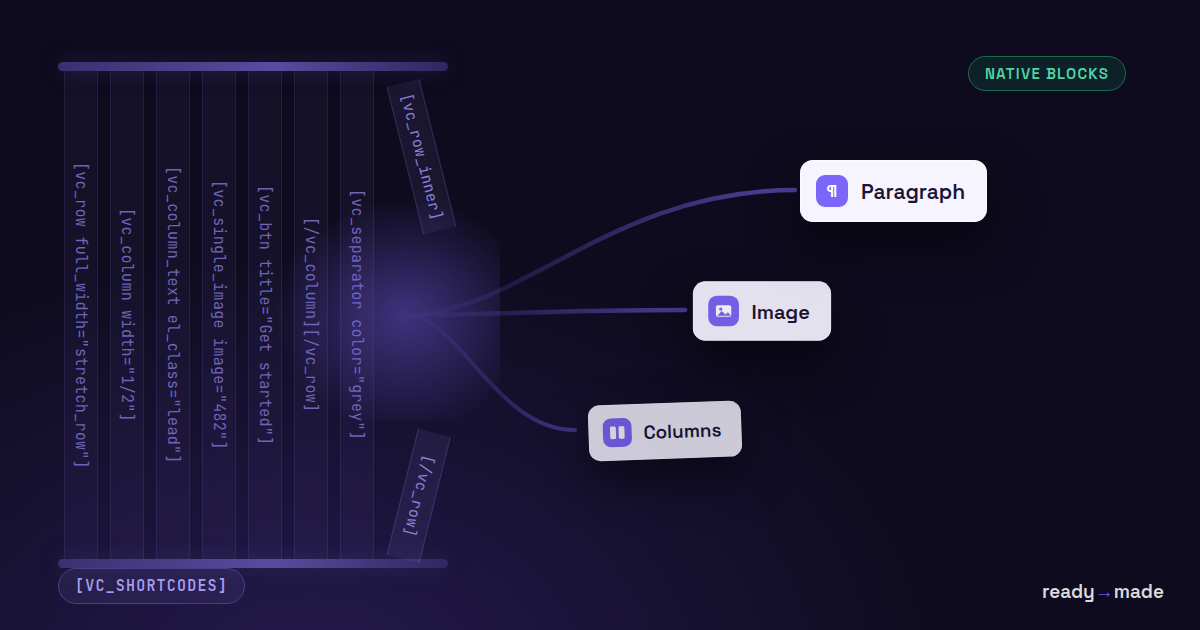
Paste into the converter and hit Convert. It parses the shortcode tree and emits native block markup: rows become columns blocks, text modules become paragraph and heading blocks, single images become image blocks, buttons become button blocks. A conversion report lists anything it could not map.
3. Paste into the block editor
In your Gutenberg page, open the three-dot menu, choose Code editor, paste, and switch back to the visual editor. The blocks appear as normal, editable content. Use the Live Preview in the tool first if you want to see the result before committing it.
What converts cleanly, and what needs you
Cleanly: rows and columns with standard widths, text blocks, headings, images, buttons, separators, spacing.
Needs your judgment: theme-specific and addon modules (sliders, portfolios, tabs) have no core-block equivalent. The converter preserves their content where possible and names every skipped module in the report, so your cleanup list writes itself. Contact forms should be rebuilt with your form plugin. Custom CSS attached to WPBakery design options should move into your theme stylesheet.
A realistic workflow for a full site
- Convert your three most complex pages first. They tell you what your particular theme's cleanup list looks like.
- Batch-convert the long tail. Most content pages are rows, text and images; those come through nearly untouched.
- Keep WPBakery active until the last page is migrated, then deactivate and remove it. Check the front end for stray brackets; finding any means a page was missed.
FAQ
Is Visual Composer the same thing as WPBakery?
Historically yes. The product split years ago: WPBakery Page Builder is the shortcode-based plugin bundled with countless themes; Visual Composer Website Builder is a separate product. If your content is full of [vc_row] shortcodes, this converter is for you.
Do I lose my content if I deactivate WPBakery first?
Your content stays in the database, but pages will render raw shortcodes until they are converted. Convert first, deactivate after.
Does the output need any plugin?
No. The result is native block markup that runs on any block-ready theme with no builder installed.
Convert your first page now → wpconverters.com/wpbakery-to-gutenberg Free, no signup, runs in your browser.